
Should you charge to 100% or stop at 80%?
Charging to 80% can extend battery lifespan, but adaptive charging is the better default for most people. Here's when an 80% limit actually makes sense.
The 80% rule is useful, but people treat it like a commandment. It isn’t. Charging to 80% can slow battery wear, yet it also means you start the day with one fifth of your battery missing. That trade-off is great for some people and irritating for others.
If you just want the practical answer: use adaptive charging if your phone has it. Use an 80% hard limit only when you usually have battery to spare. If your phone already struggles to make it through the day, don’t make your daily life worse just to protect the battery on paper.
That’s not discipline. That’s friction.
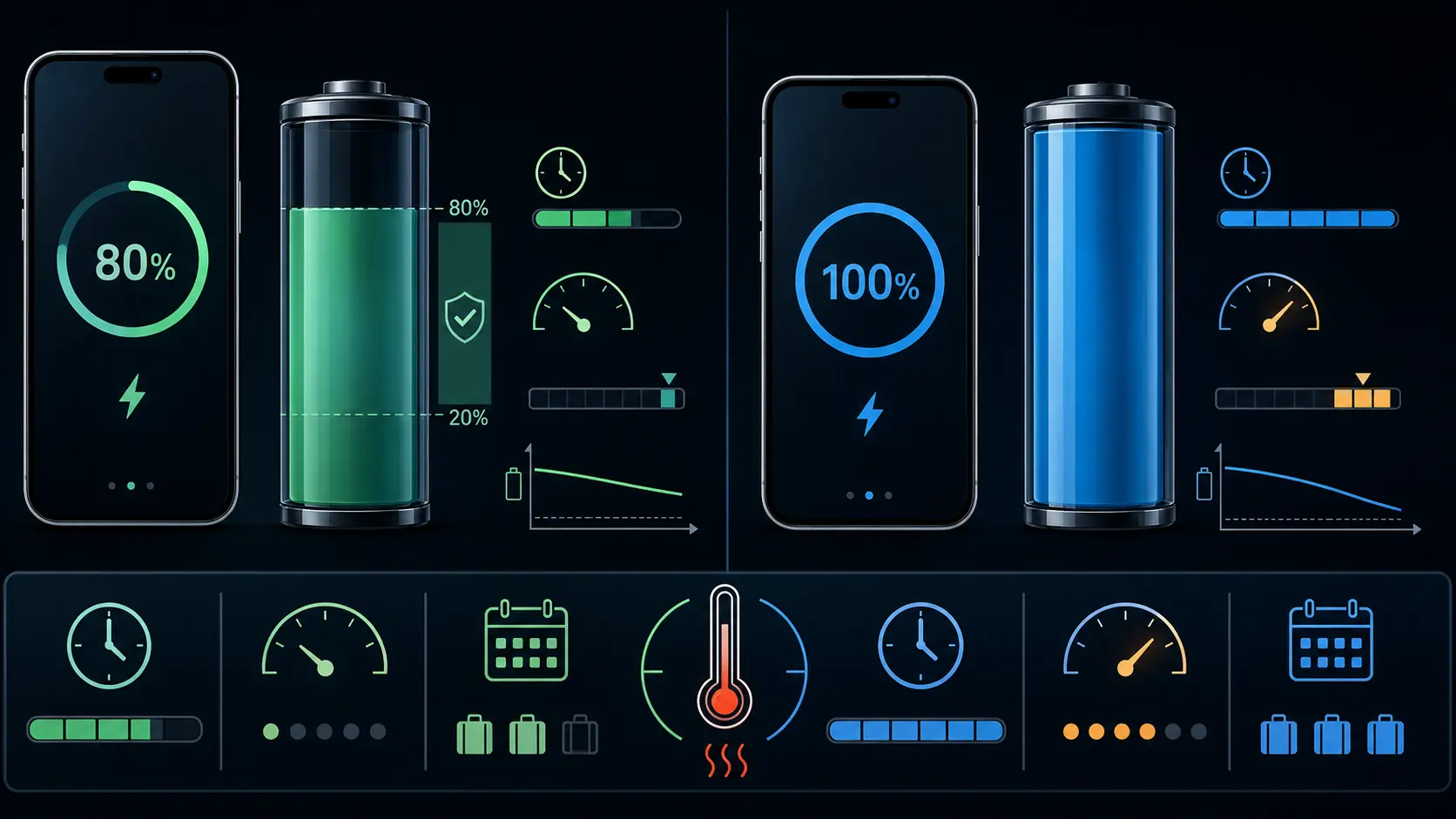
Why 80% helps
Lithium-ion batteries don’t wear evenly across the charge range. High state of charge keeps the cell near its highest voltage, and high voltage speeds up unwanted reactions inside the battery. Electrolyte oxidation, SEI growth, and higher internal resistance don’t show up after one charge, but they add up over months and years.
Battery University’s long-running lithium-ion guidance explains the basic trade-off well. A cell charged to 4.20V might deliver 300 to 500 cycles in a lab-style example, while lowering the peak to 4.10V can raise that to 600 to 1,000 cycles. Phones are more complicated than bare cells, but the direction is right: lower peak voltage usually means less wear.
The messy part is that 80% on your phone screen isn’t a perfect chemistry number. Manufacturers hide some buffer at the top and bottom, battery chemistry differs, and temperature changes the picture. Still, staying out of the very top of the range reduces stress.
What you give up
On a phone with a 5,000 mAh battery, charging to 80% instead of 100% means starting with about 4,000 mAh available. That’s a real loss, not a rounding error.
For someone who ends most days at 45%, it won’t matter. For a courier, commuter, traveler, gamer, or anyone who uses navigation and mobile data for hours, it can matter a lot. The irony is obvious: heavy users are the ones who put the most cycles on the battery, but they’re also the least able to give up 20% of daily runtime.
A lighter user has the easier choice. If your phone usually reaches bedtime with 30% or more left, an 80% limit is reasonable. If you regularly hit the low-battery warning before dinner, adaptive charging is the better answer.
What Android phones offer now
Android 17 is now out and Google made it available first on most supported Pixel devices, with new Android 17 devices from other makers following later. That doesn’t mean every Android phone suddenly has the same battery controls. Charging limits are still manufacturer and model dependent.
Google Pixel phones from Pixel 6a and later support a hard 80% limit under Settings > Battery > Battery health > Charging optimization. Pixel also supports Adaptive Charging, which learns your routine and finishes the last part of the charge before you normally unplug. Google says Pixels may fully charge every tenth cycle even when the 80% limit is on, so the battery capacity estimate stays calibrated.
Samsung Galaxy phones with One UI 6.1 or later have Battery protection modes. Basic charges to 100%, then waits until the battery drops to 95% before charging again. Adaptive uses the maximum limit while you’re asleep and switches back before you wake. Maximum stops charging at 80% on the older One UI 6.1 behavior, while newer Galaxy models in some regions let you pick a maximum level with a slider, such as 80%, 85%, or 90%.
On the POCO F6, Xiaomi documents Settings > Battery > Battery protection, with Regular, Limited, Optimized, and Nighttime charging choices. It also documents Security > Battery > Battery protection as an alternate route. This is a POCO F6 example, not a universal menu or mode list for Xiaomi, Redmi, POCO, MIUI, or HyperOS devices. Other models and software versions may differ.
Budget phones and older models may have none of this. In that case, the choices are manual: unplug when convenient, charge during the day, or use a smart plug timer. It’s clunky, but it works.
Adaptive charging is the better default
For most people, adaptive charging beats a permanent 80% cap. You get a full battery when you leave, but the phone spends fewer hours sitting at 100% overnight. That is where the feature earns its keep.
A hard 80% cap makes the most sense for phones that sit plugged in for long stretches: desk phones, car-mounted phones, spare devices, test devices, or phones used mostly near a charger. It also makes sense if you’re deliberately keeping the same phone for four or five years and can live with the smaller daily tank.
For everyone else, adaptive charging is easier to stick with. A battery habit you abandon after a week doesn’t help much.
Don’t ignore the bottom end
The 80% rule gets all the attention, but deep discharge matters too. Regularly running a phone to 0% or letting it shut off under load isn’t good for the cell either. The extremes are the problem.
A strict 20% to 80% habit uses only 60% of the battery. On a 5,000 mAh phone, that’s roughly 3,000 mAh of daily usable charge. Some people can live there. Many can’t.
A more relaxed 15% to 90% pattern is easier and still avoids the worst endpoints. Don’t overthink it. Avoid heat, avoid sitting at 100% for hours, and don’t make a habit of draining the phone to shutdown.
Tracking whether it works
Battery health changes slowly. You won’t feel the difference between 96% and 93% capacity on an ordinary Tuesday, and one bad charging week won’t ruin a battery.
This is where tracking helps. runcheck follows battery health alongside temperature, charge behavior, and other device-health signals, so you can see whether your habits are helping on your actual phone. That beats copying someone else’s charging routine from a forum.
Pixel 8a and later also show battery health under Settings > Battery > Battery health, with a Normal or Reduced status and an estimated battery capacity page. Pixel 6a, Pixel 7, Pixel 7 Pro, Pixel 7a, Pixel 8, and Pixel 8 Pro don’t show that same battery health status. Samsung users can check battery status through Samsung Members diagnostics, and some newer models or regions expose more battery information directly in Settings.
The practical answer
Turn on adaptive charging if it’s available. Charge to 100% when you need the runtime. Use the 80% limit when your day allows it, not because a rule told you to.
The worst habit isn’t occasionally charging to 100%. It’s leaving the phone full, warm, and plugged in for hours every night while doing nothing about it.
Sources
Turn symptoms into a clearer picture of your phone's health.
runcheck connects battery, heat, signal, and storage patterns so you can see what is really dragging a phone down.